Qwiktest AI cheating detection
Catch students using Gemini and ChatGPT in your online exam.
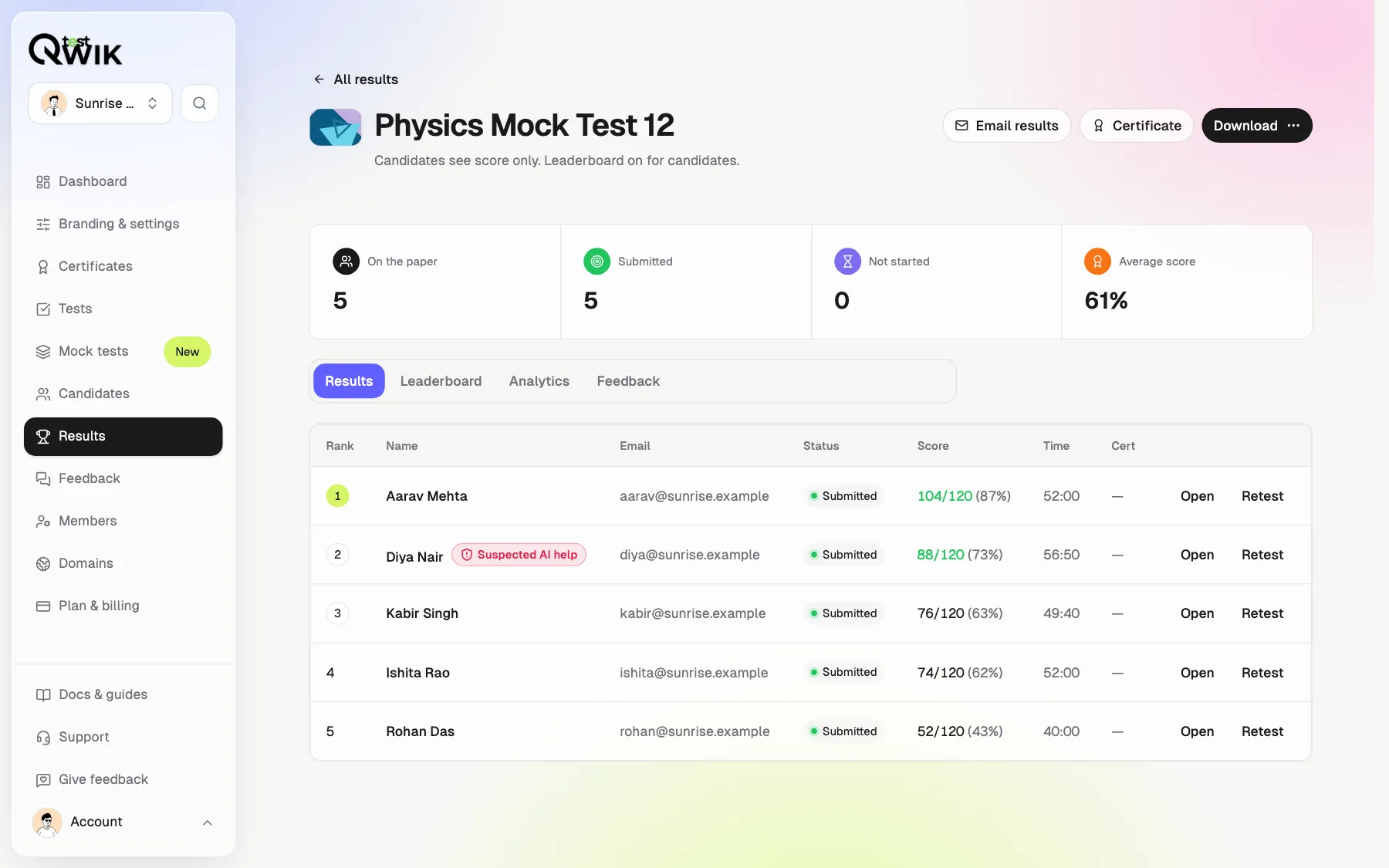
Qwiktest records every time a student leaves the exam screen during an online test, to Gemini, Circle to Search, ChatGPT, another app or another tab, with the question that was on screen and how long they were away. It flags an answer given right after coming back as Suspected AI help, and can submit the paper after the number of chances you set.
Every exam is watched. Nothing to switch on.
Last updated
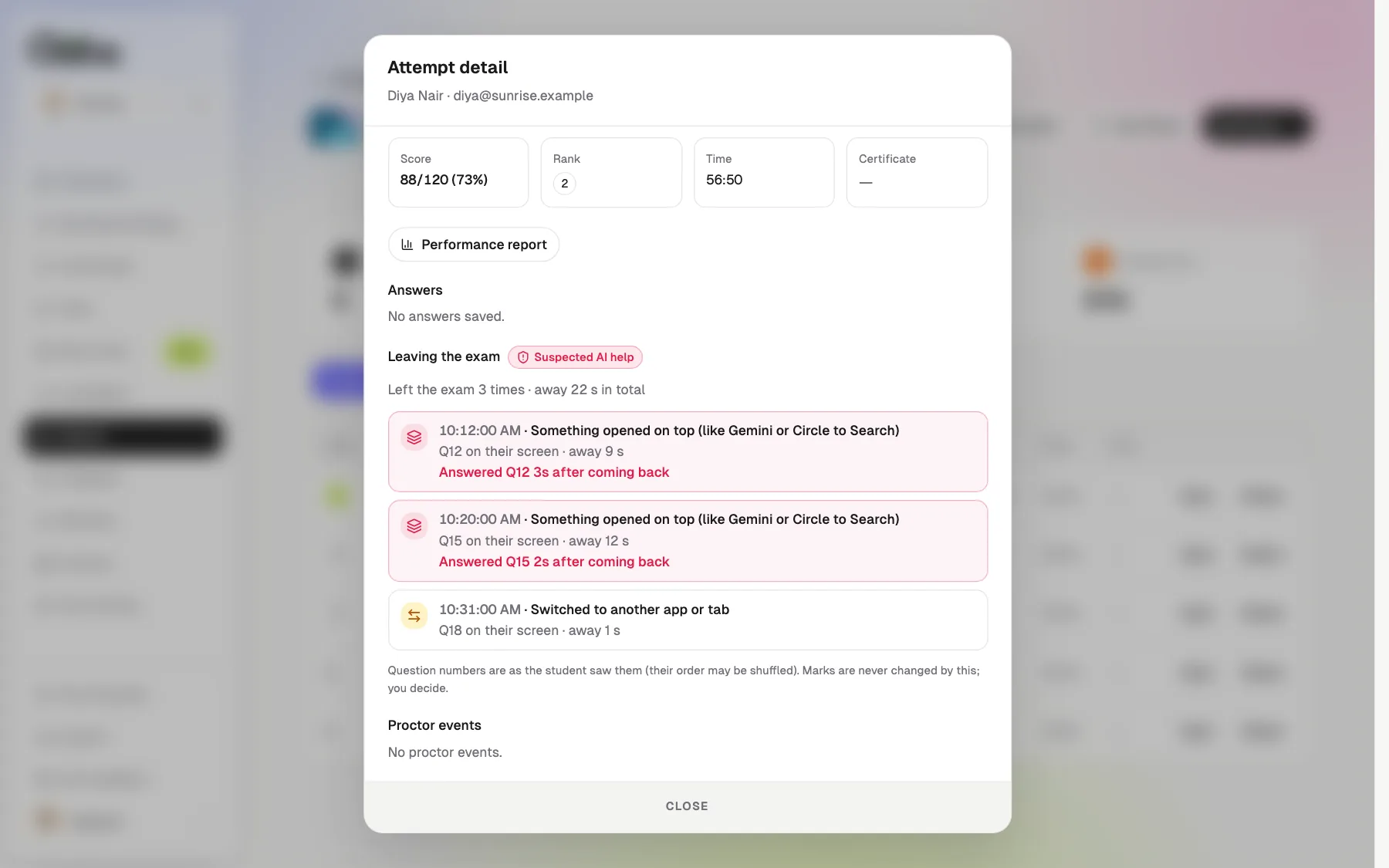
AI cheating detection at a glance
- On
- Every test, always. No setting
- Catches
- Gemini, Circle to Search, ChatGPT, other apps and tabs
- Records
- The question on screen and the seconds away
- Flags
- Suspected AI help, with the exact question
- Ends the paper
- After the chances you choose
- Marks
- Never changed for you. You decide
- Plans
- Every plan, including Free
The moment they leave, the paper hides
Gemini or Circle to Search
Opening anything on top of the exam is caught at once.
Another app or tab
ChatGPT, WhatsApp or a browser tab, on a phone or a laptop.
Covered until they tap back
They see it was recorded, with the question that was on screen.
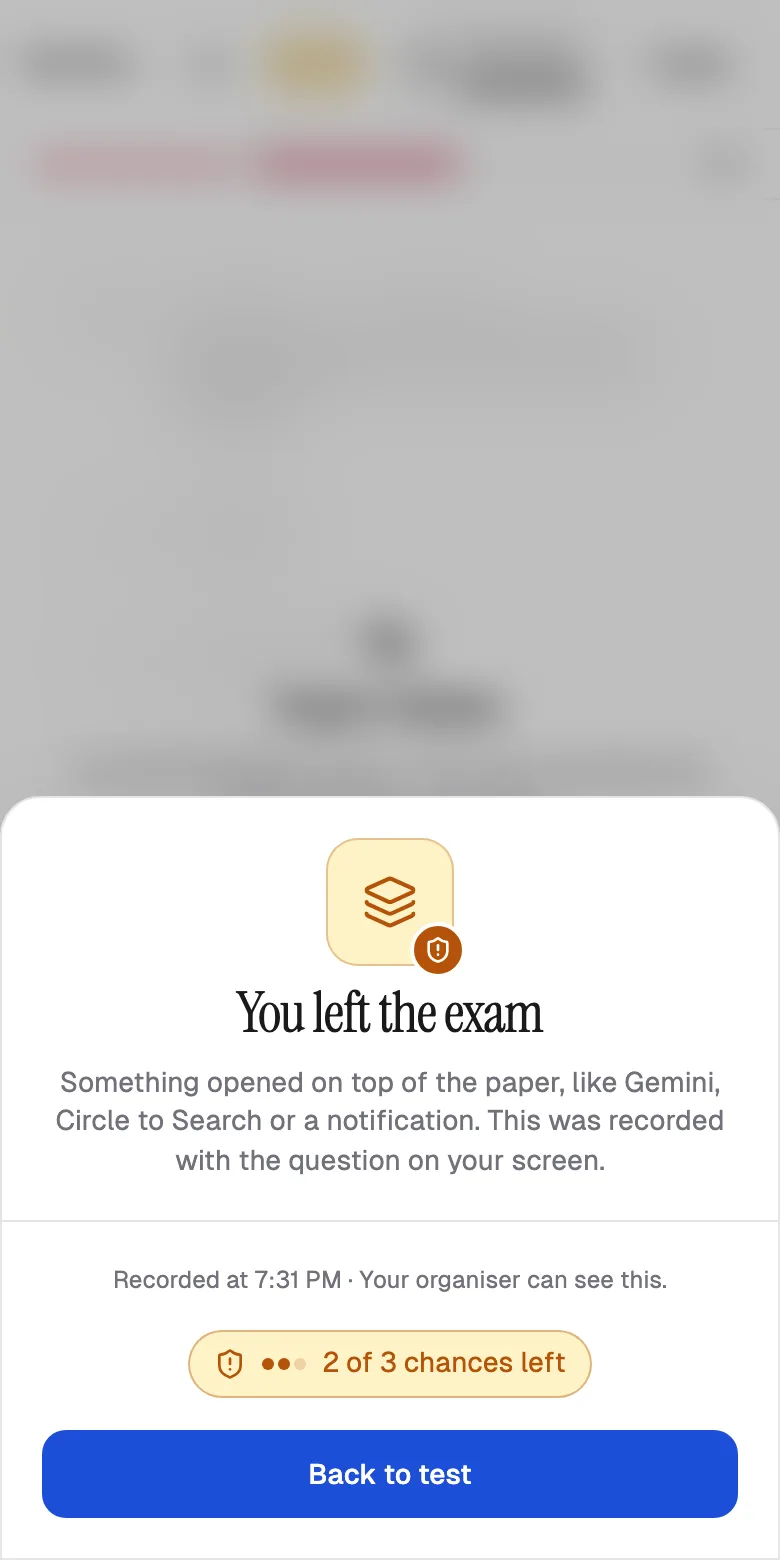
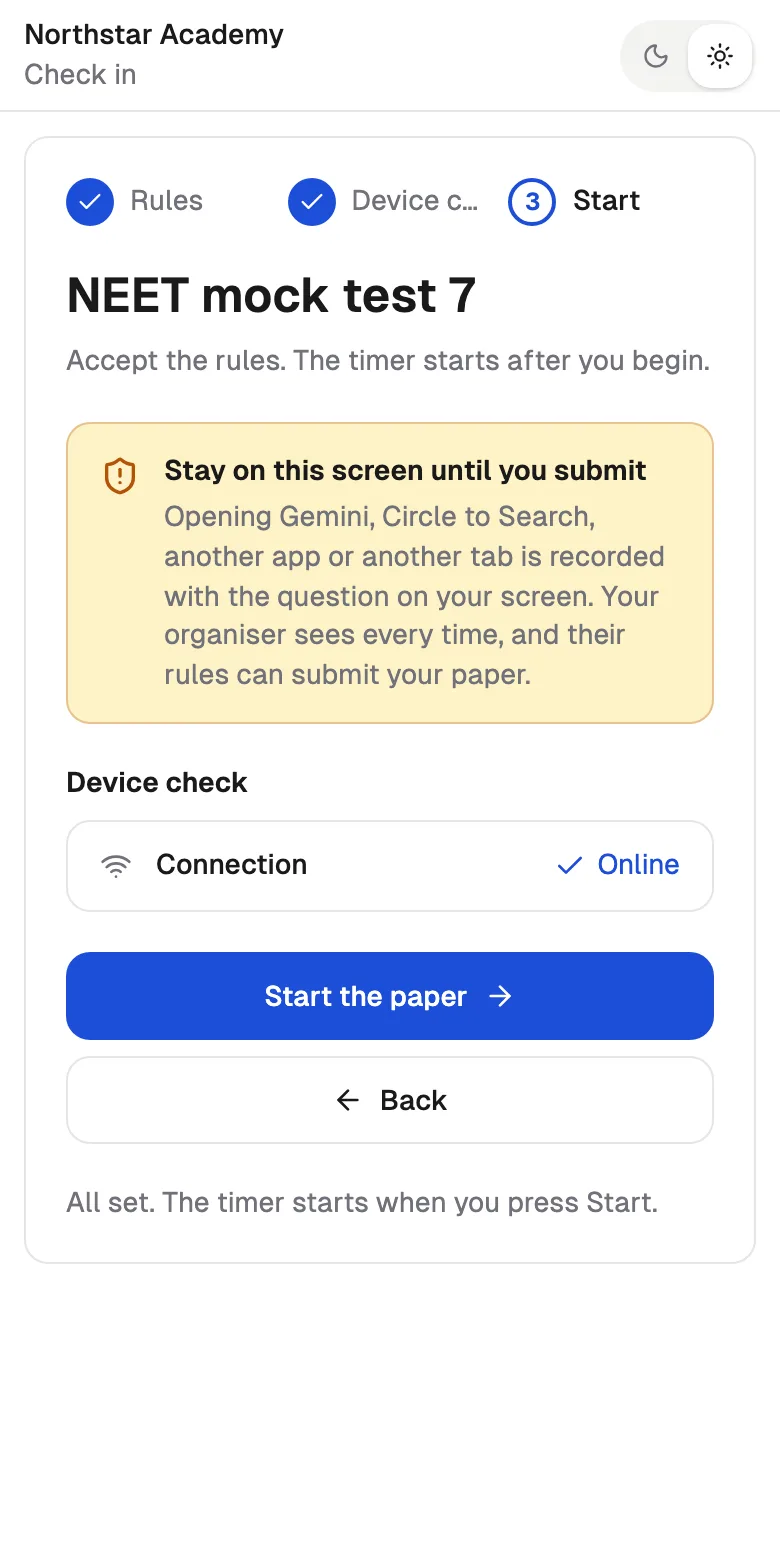
Students are told before they start
Every check-in screen says it plainly: opening Gemini, Circle to Search, another app or tab is recorded, and your rules can submit the paper. Most students stop right there.
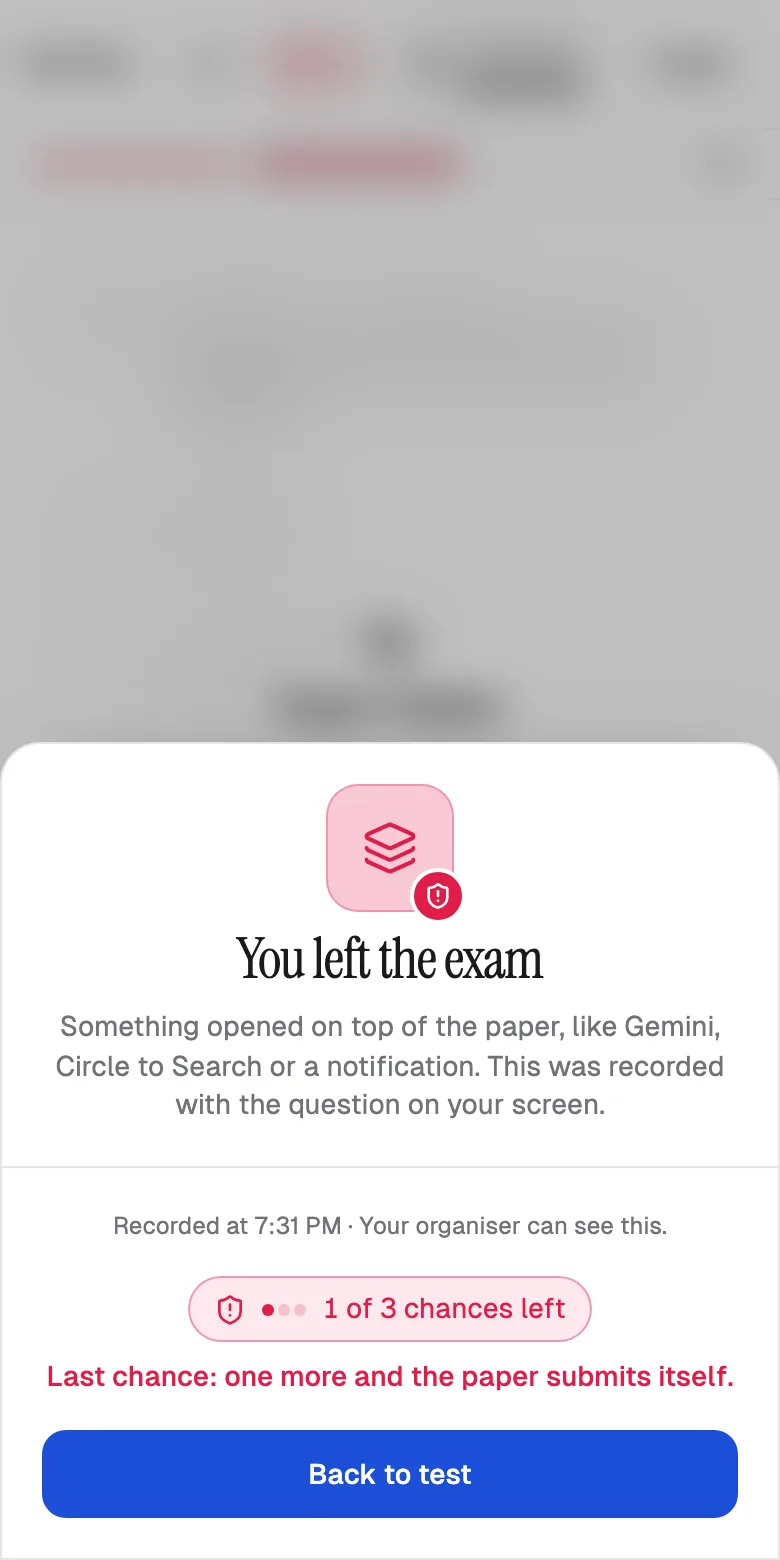
Your rule decides when the paper ends
Turn on Auto-submit on warnings and pick the chances. Each trip away uses one, the student sees how many are left, and the last one submits the paper with the answers saved so far. Leave it off and the paper never ends early, but every trip is still recorded.
See exactly what happened
Suspected AI help
A red badge on students who answered a question right after leaving on it.
Trip by trip
When they left, Gemini or another app, which question, and for how long.
Fair to honest students
A quick glance at a notification is recorded, never flagged.
Honest about what a website can do
No website can switch off a phone's assistant. Qwiktest makes using it visible, risky and on the record, on every test, with no app to install.
Which plans include it
- Free
- Every trip away recorded, the warnings and the Suspected AI help flag.
- Starter
- Everything in Free.
- Pro and Business
- Everything in Free, plus Exam Centre Mode for lab exams.
- Enterprise
- Everything, with custom limits.
How to catch AI cheating in an online exam
Create a test
Leaving the exam is recorded on every test. Nothing to switch on.
Pick the chances
Branding & settings → Auto-submit on warnings, if you want the paper to end.
Students sit it
They are warned before they start and every time they leave.
Open the results
Look for Suspected AI help and open the attempt to see each trip.
AI cheating questions
How do I stop students using Gemini or ChatGPT in an online exam?
On Qwiktest every test records each time a student leaves the exam screen: Gemini or Circle to Search on top, ChatGPT in another app or tab. Students are warned before they start, the paper hides when they leave, and your chance limit can submit the paper.
Can Qwiktest block Gemini or Circle to Search on a phone?
No website can switch off a phone's assistant, and we will not pretend to. Qwiktest catches it instead: the moment Gemini or Circle to Search opens over the exam, it is recorded with the question on screen, the paper hides, and the teacher sees it.
What does Suspected AI help mean?
The student left the exam for a few seconds or more and then answered that same question soon after coming back. It is a flag for you to look at, with the exact times. Qwiktest never changes marks on its own.
Will honest students be punished for a notification?
A quick glance is recorded but never flagged as AI help. If you turn on auto-submit, every trip away uses one chance, so set enough chances for your students. With auto-submit off, the paper never ends early.
Does the test submit itself when a student uses AI?
Only if you choose it. Turn on Auto-submit on warnings in Branding & settings and pick the chances. Students see how many are left, and the last one submits the paper with the answers saved so far.
Does it work on laptops too?
Yes. Switching to ChatGPT in another tab or window is recorded the same way. Copy, paste and right-click can be blocked, AI helper browser extensions are removed, and fullscreen can be required.
Do I need to switch anything on?
No. It is on for every test on every plan, including Free. The only choice is whether too many trips away should submit the paper.
Do students need to install an app?
No. It works in the phone's or laptop's browser, on the same exam link.