Qwiktest Exam Centre Mode
Online tests in a computer lab. No phones needed.
Qwiktest Exam Centre Mode lets students sign in on a lab computer with their email or roll number and a short test code from the board, with no OTP, no phone and no Google account. You watch every desk in a live list, start the exam for everyone at once, and each computer resets for the next student after submit.
Write the code on the board. Start the exam.
Last updated
Exam Centre Mode at a glance
- Sign-in
- Email or roll number, plus a 6-letter test code
- Phones
- Not needed. No OTP, no Google
- Who gets in
- Your list only, or anyone with the code
- Start
- At the set time, or when you tap Start all
- Live room
- Who signed in, who is writing, who submitted
- Shared PCs
- Signs out after submit, ready for the next student
- Plans
- Pro, Business and Enterprise
Set it up in two minutes
Upload your list
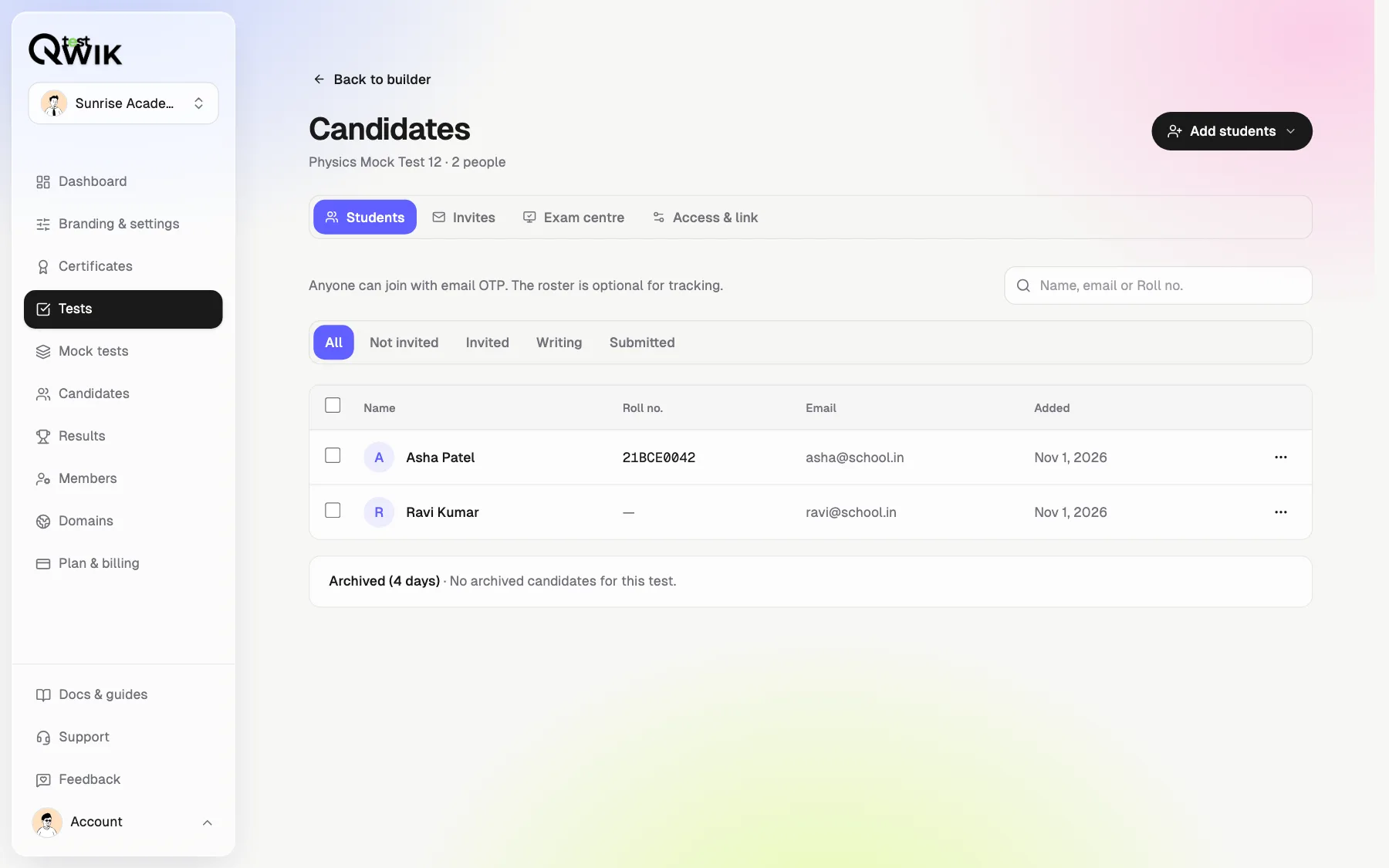
Name, email and roll number from Excel. Rows are checked before anything is added.
Turn it on
One switch on the test. A test code appears to write on the board.
Choose how it starts
At the set time, or only when you tap Start all.
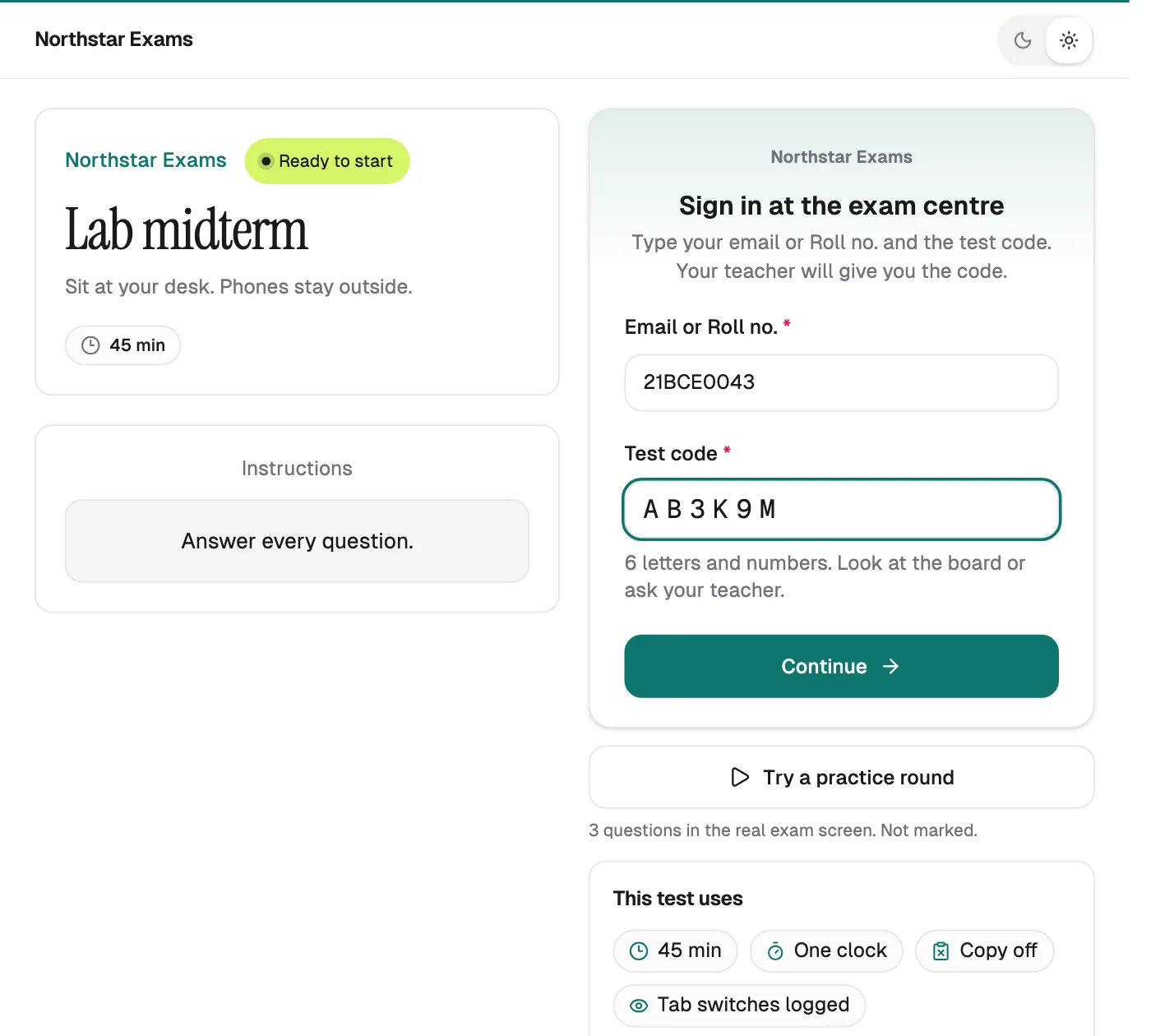
Students sign in without a phone
Roll number and code
Or their email. Typed on the lab computer.
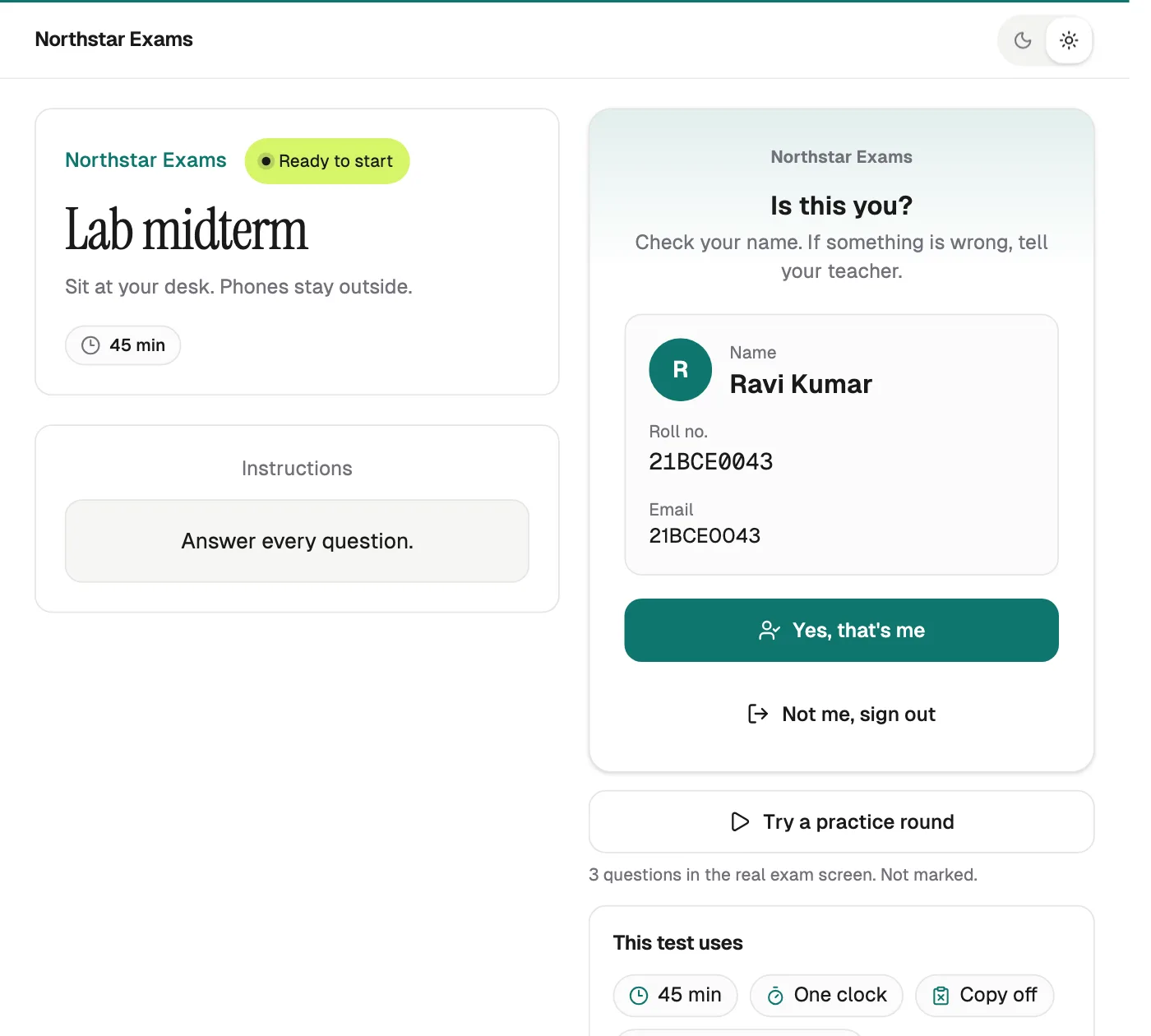
Is this you?
They check their name before the exam.
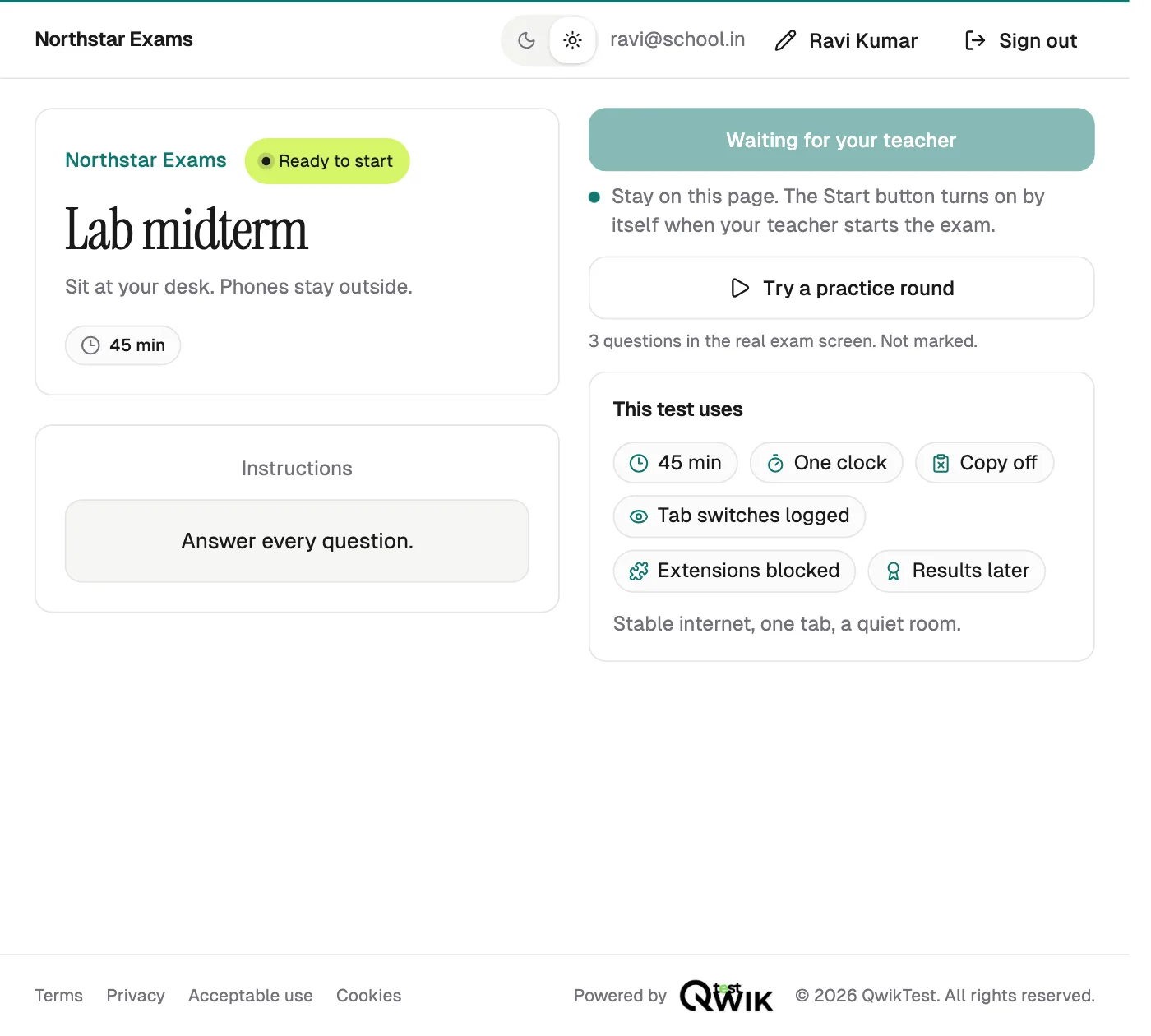
Wait, then start
The Start button turns on by itself when you start.
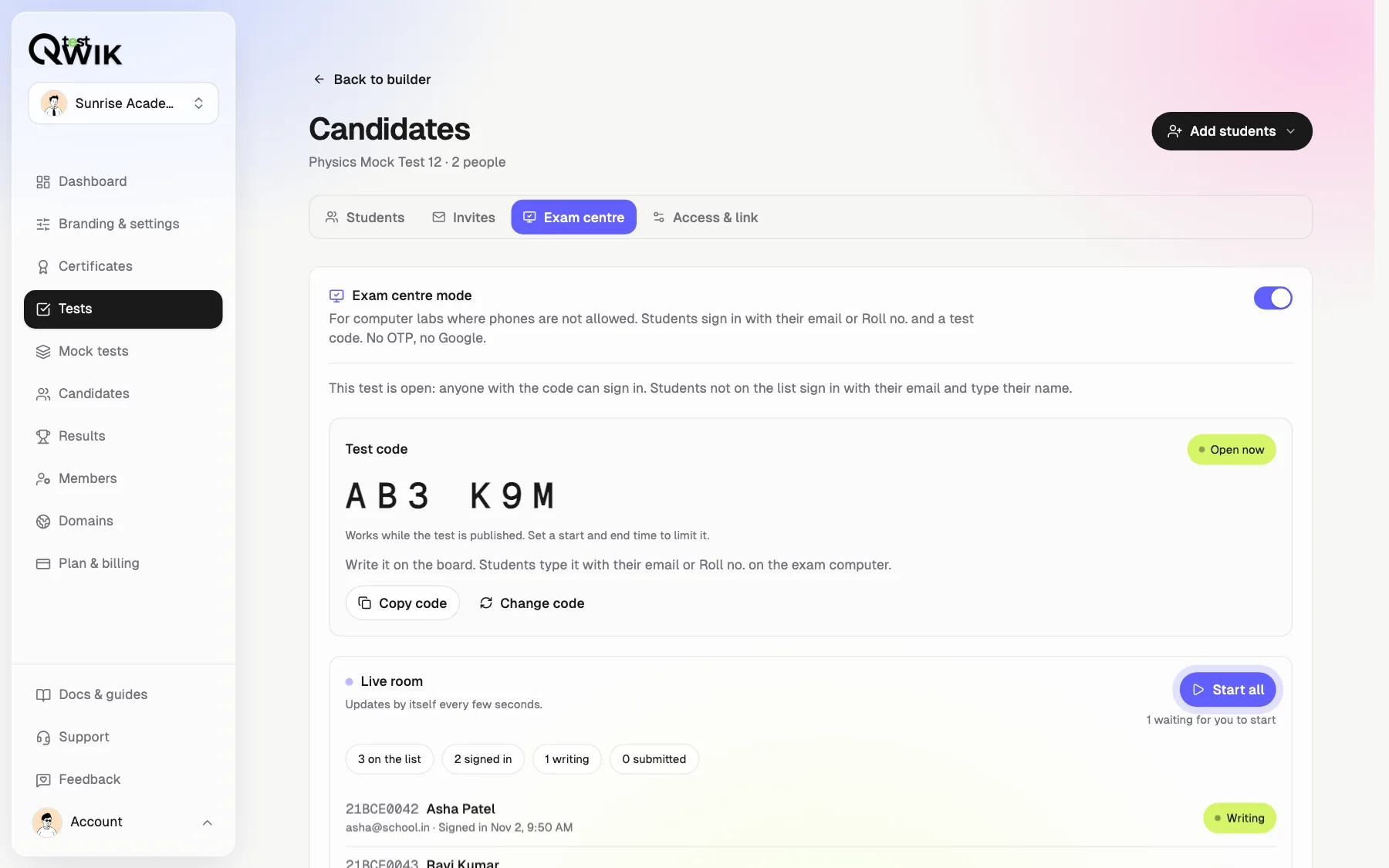
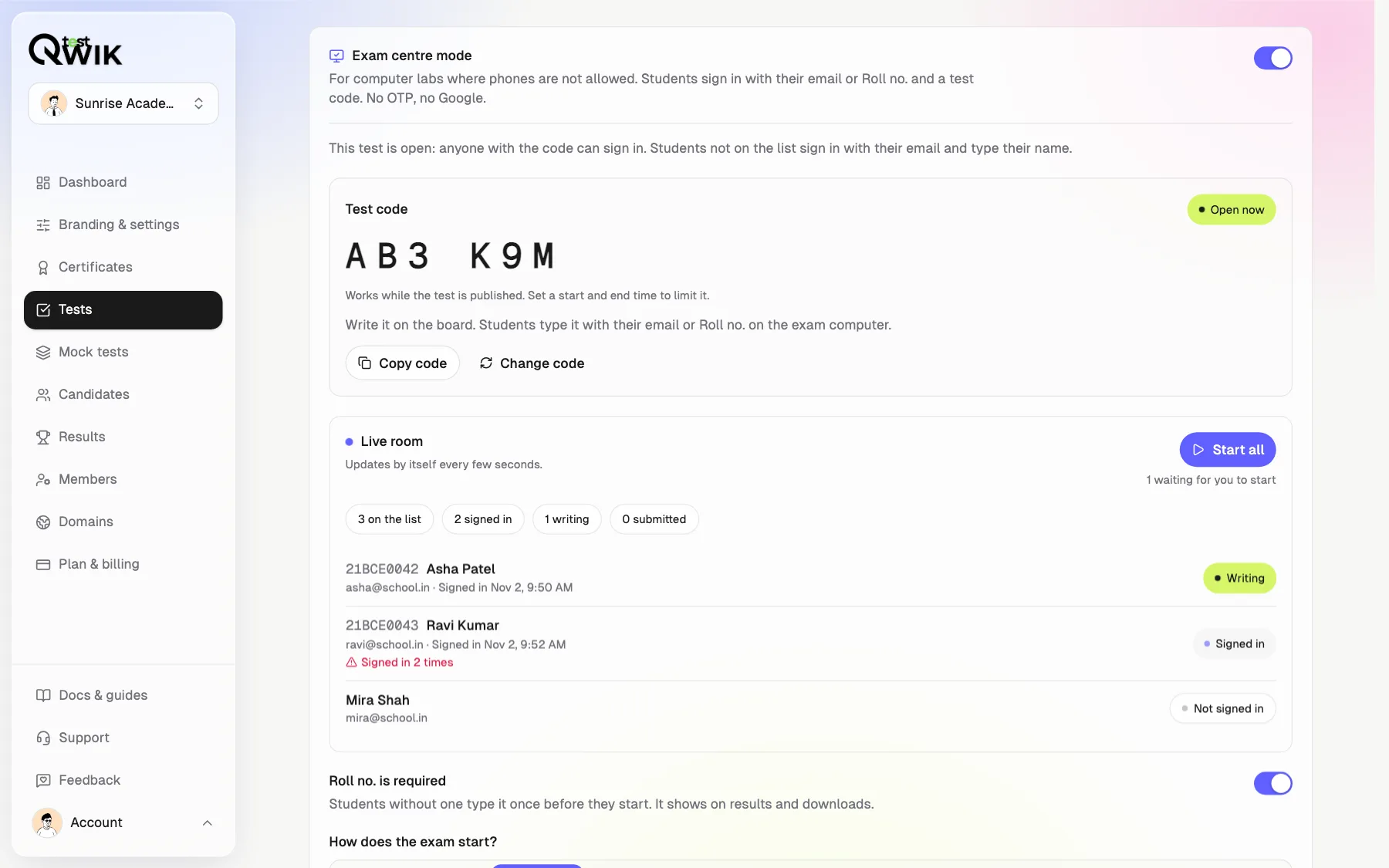
Watch every desk in one list
Not signed in, signed in, writing, submitted. A student who signs in at a second computer is flagged, and only the newest computer stays signed in.
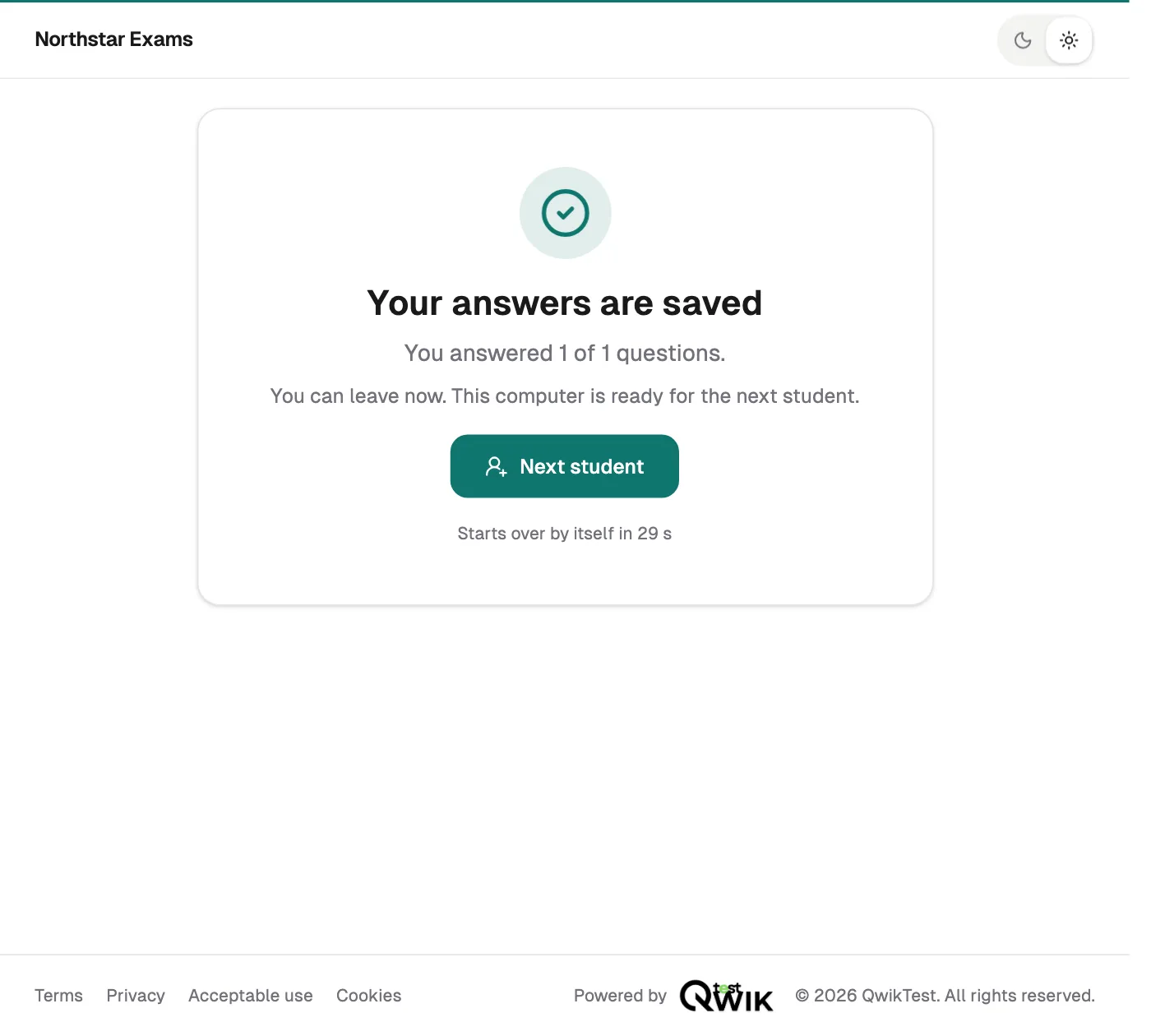
Each computer is ready for the next student
After submit the student is signed out and the screen goes back to sign-in. Results, Excel, CSV and the PDF all carry the roll number.
Which plans include it
- Free and Starter
- Not included. Students sign in with an email code or Google.
- Pro
- Exam Centre Mode, roll numbers, live room and Start all.
- Business
- Everything in Pro.
- Enterprise
- Everything in Pro, with custom limits.
How to run a test in a computer lab
Turn on lab tests
In Branding & settings, open Access and turn on We run tests in computer labs. Pick Roll no., your own word, or email only.
Add your students
On the test's Candidates page, tap Add students and import your Excel list with roll numbers.
Turn on Exam centre mode
Open the Exam centre tab and switch it on. Write the test code on the board.
Start and watch
Students sign in with roll number and code. Tap Start all and watch the live list.
Exam Centre Mode questions
How do students take an online test without a phone?
Turn on Exam Centre Mode for the test. Students open the test link on the lab computer and type their email or roll number and the 6-letter test code you write on the board. No email code, no phone and no Google account is needed.
Can students sign in with their roll number?
Yes. Upload names, emails and roll numbers from Excel, and students sign in with either. Roll numbers are unique in your workspace. You can call it Roll no., Application no., Employee ID or your own word, or use email only.
How do I stop someone outside the lab from using the code?
Make the test Exclusive so only students on your list can sign in. The code works only near the exam time, you can change it in one tap, and you can allow only your lab's internet address. A student signed in at two computers is flagged.
Can I start the exam for everyone at the same time?
Yes. Choose I start it. Students sign in and wait on their computers. When the room is ready, tap Start all and every student's Start button turns on within a few seconds, even before the scheduled time.
What happens on a shared lab computer after a student submits?
The answers are saved, the student is signed out, and the screen shows Ready for the next student. After 30 seconds it goes back to sign-in by itself, so the next student never sees the last one's account.
What if a student's computer stops working during the exam?
Move them to another computer. They sign in again with the same roll number and code and continue where they left off. Their earlier computer is signed out, so only one desk is ever writing for them.
Do results and downloads show roll numbers?
Yes. The results page, leaderboard, Excel, CSV and the results PDF all have a roll number column, named the way your workspace names it. Workspaces that do not use roll numbers see their files exactly as before.
Which plans include Exam Centre Mode?
Exam Centre Mode is on Pro, Business and Enterprise. On Free and Starter, students sign in with an email code or Google as usual. Every student who takes a test uses one sitting from your plan.
Is it good for college labs, CBT centres and campus hiring?
Yes. Colleges run internal exams in computer labs, coaching institutes run CBT-style mocks at their centres, and hiring teams run campus drives on shared desktops, all without asking anyone for a phone.