Qwiktest Import
Old paper in. Live test out.
Qwiktest Import is a tool in the Qwiktest question builder that turns an old question paper into test questions in about 2 minutes. It reads PDF, Word, PowerPoint, text files, photos and pasted text, with options, answers, sections and marks. Typed files are read free by rules in your browser; AI reads only scans and photos, and you check every question before it is saved.
PDF, Word, photos or pasted text. Free for typed files.
Last updated
Your paper already exists.
No template. No retyping. Bring the paper as it is.
Import at a glance
- Price
- Free for typed files. AI credits only for scans and photos
- Formats
- PDF, Word, PowerPoint, text, photos, pasted text, your other tests
- Limits
- Up to 500 questions, 100 pages, 50 MB per import
- Uses AI?
- Only for what the rules cannot read. It copies, never writes
- Answers
- Answer lines and keys read. Missing ones flagged for you
- Duplicates
- Questions already in the test are left out
- Where
- Any test → Questions → Import
What it reads
- PDF: Typed or scanned, two columns too
- Word: .docx files
- PowerPoint: .pptx slides
- Text files: .txt, .md and .csv
- Photos and screenshots: JPG, PNG, read by AI
- Pasted text: WhatsApp, websites, anything
- From my tests: Questions with answers, copied over
- Hindi papers: प्रश्न, उत्तर, क ख ग घ
How to import a paper
Drop or paste
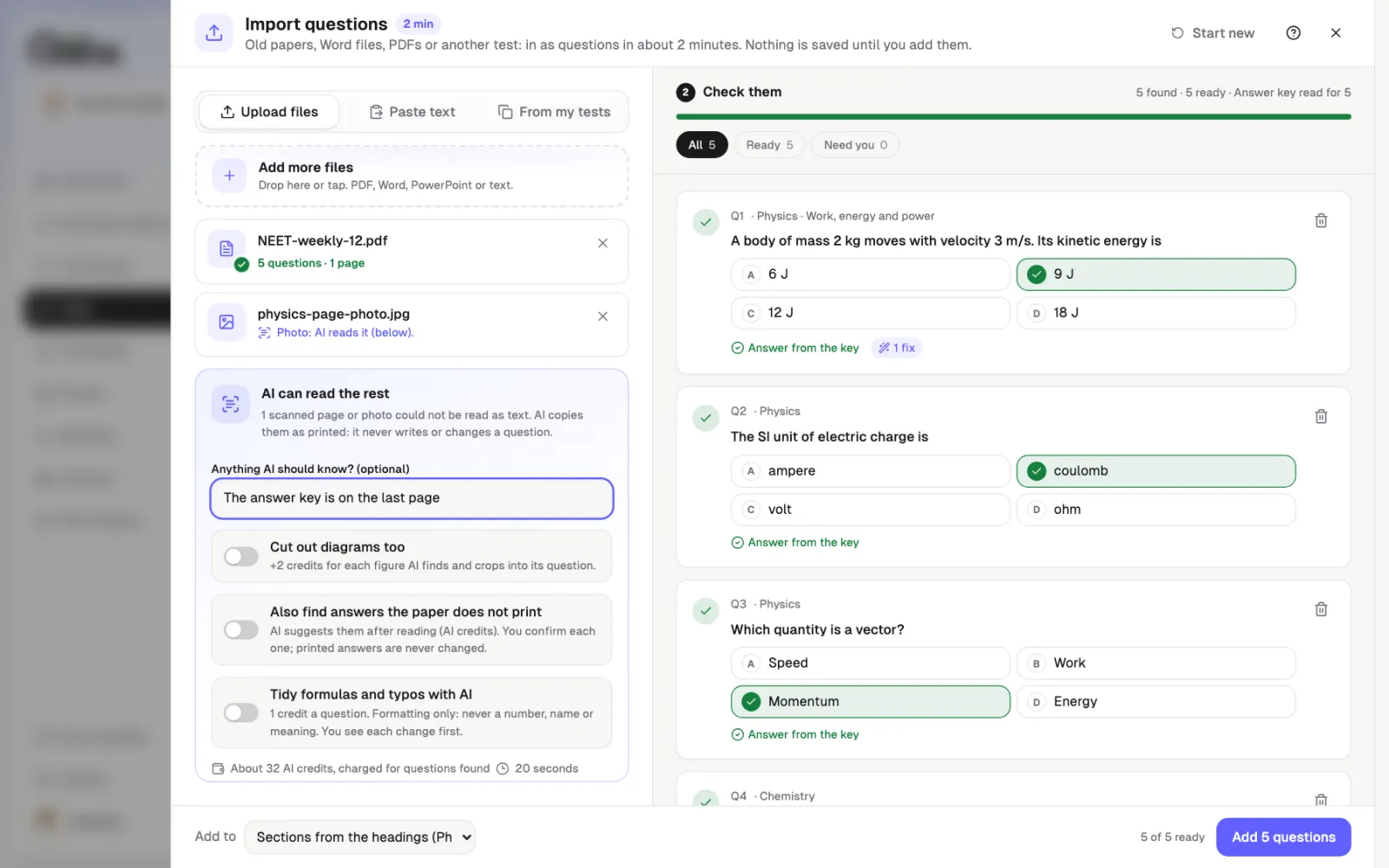
Open a test, go to Questions and tap Import. Drop your files, paste text, or pick questions from your other tests.
AI reads the scans
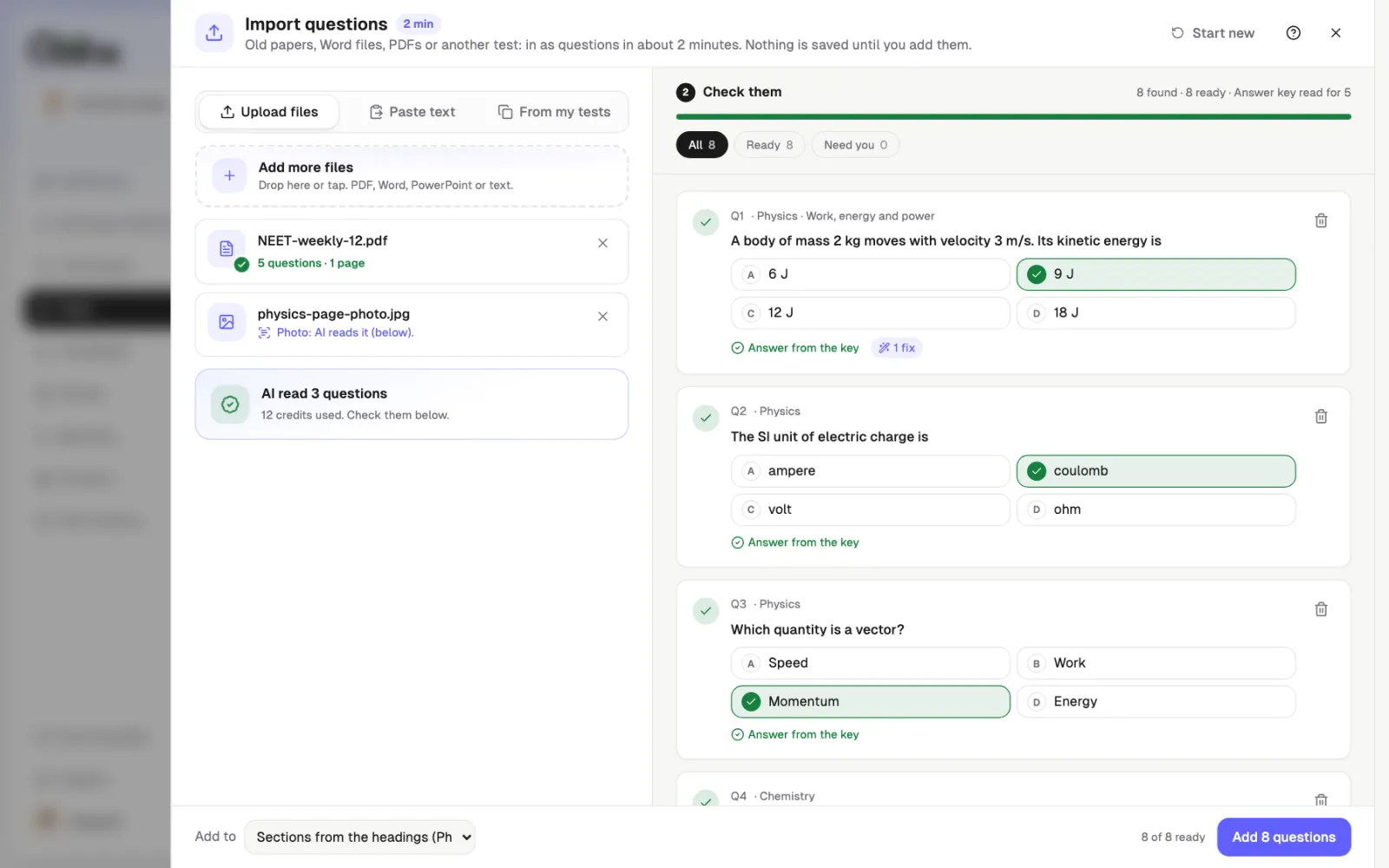
Typed files are read free in your browser. For scanned pages and photos, tap Read with AI. It copies questions as printed.
Check and add
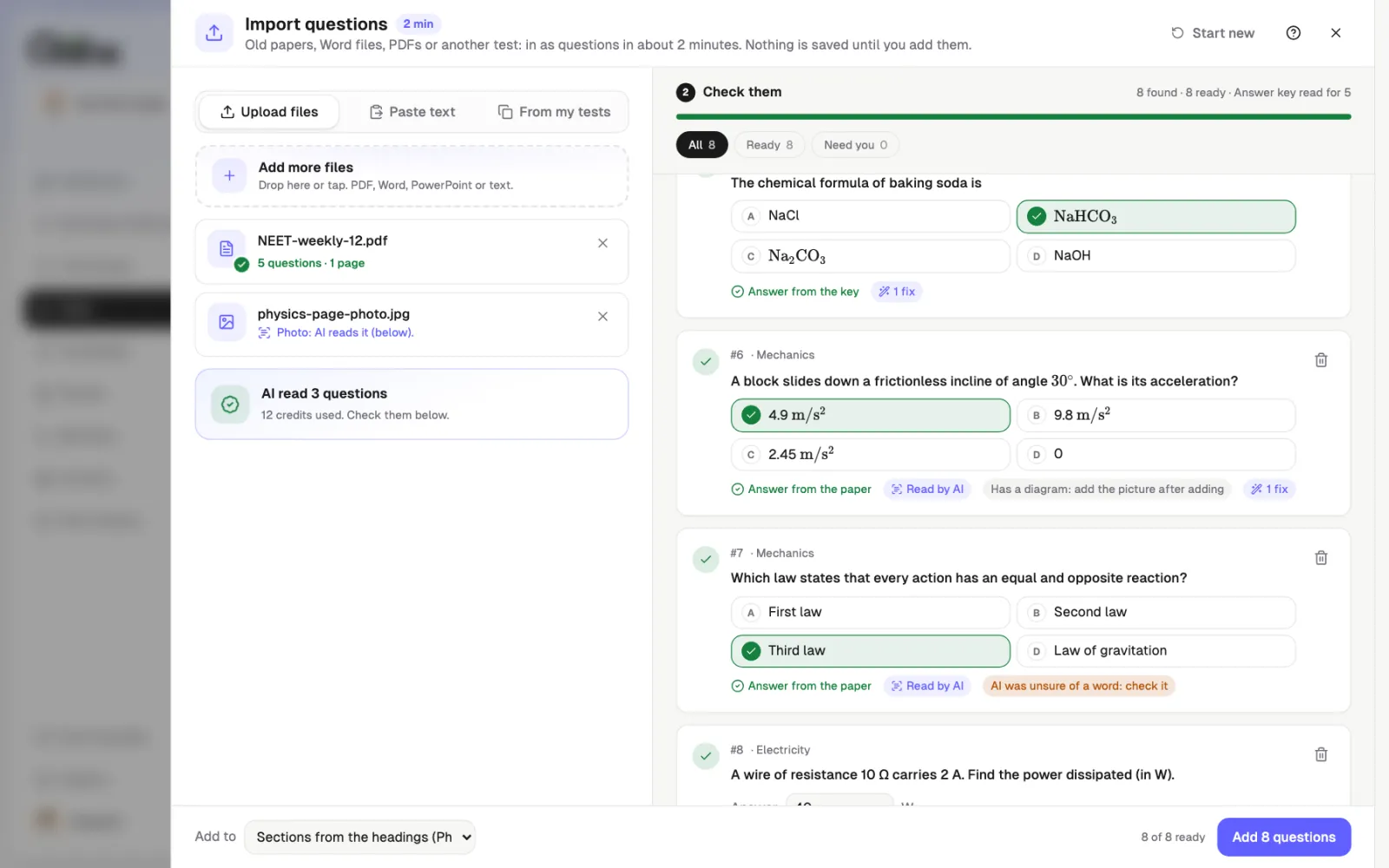
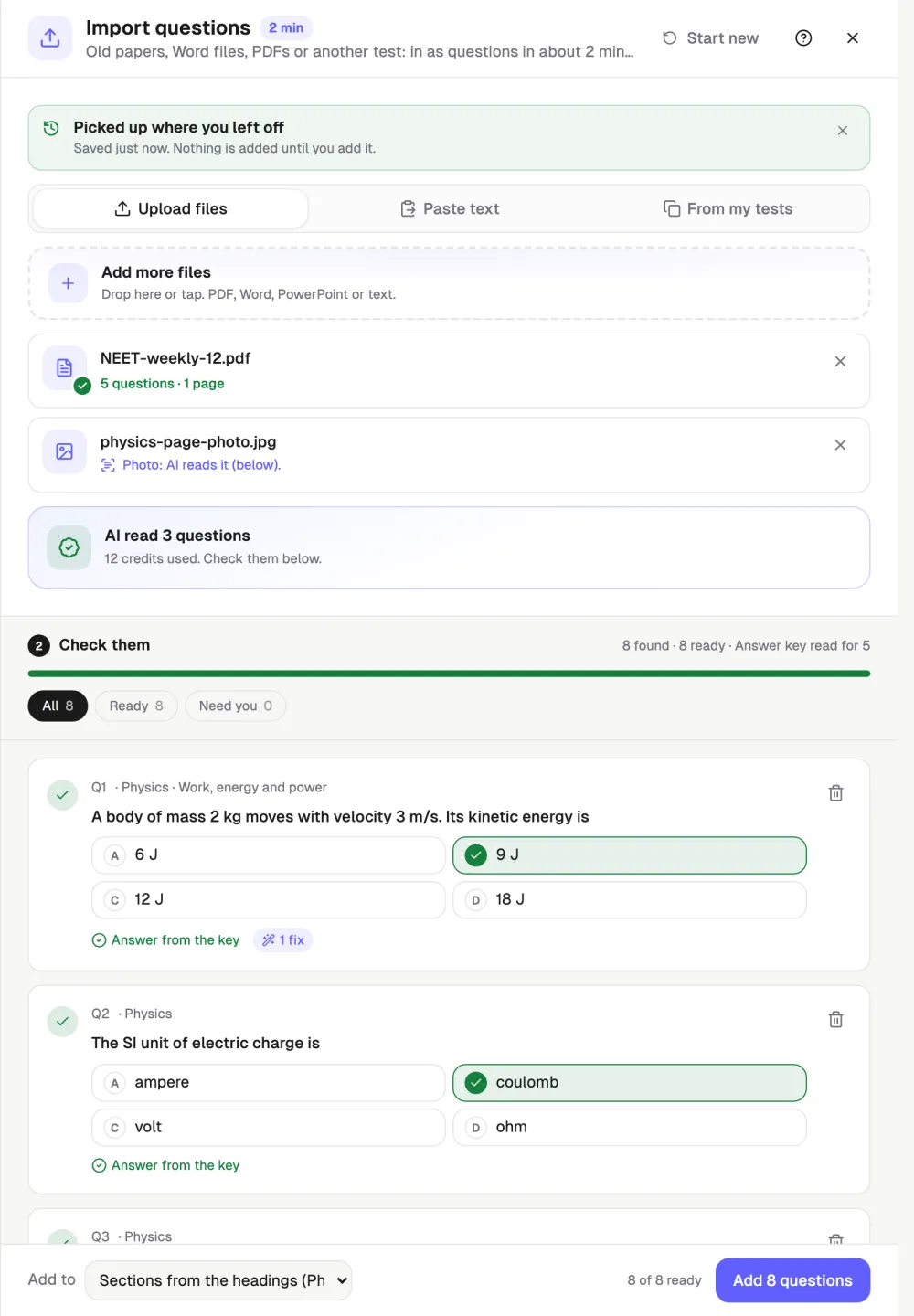
Every question shows as a card. Tick any missing answer, choose sections, and tap Add. Nothing is saved before that.
See it on screen
What it costs
- Typed files and text
- Free and unlimited, no AI
- AI reads text
- 2 credits per question found
- AI reads a scan or photo
- 4 credits per question found
- Free plan
- AI reads up to 20 questions free, once
Import questions
What is Qwiktest Import?
Qwiktest Import turns an old question paper into test questions in about 2 minutes. Drop a PDF, Word file, PowerPoint, photo or pasted text, and it reads the questions, options, answers, sections and marks. No template and no retyping. You check every question before anything is saved.
How do I import questions from a PDF into an online test?
Open any test in Qwiktest, go to Questions, tap Import and drop the PDF on Upload files. A typed PDF is read in your browser for free, including two-column papers. Check the question cards, tick any missing answer, choose sections and tap Add. Each import takes up to 500 questions, 100 pages or 50 MB.
Can Qwiktest read scanned papers and phone photos?
Yes, scanned PDFs, phone photos and screenshots are read by AI when you tap Read with AI. It uses 4 AI credits per question found, and a failed page is retried free. You can add a note such as "Only Section B". Words AI was unsure of are flagged for you to check.
Does AI change my questions when importing?
No, AI copies each question as printed and never writes or changes one. It fills an answer only if the answer is printed on the paper. Anything not found in your file is dropped, and words it was unsure of are flagged. AI never marks students.
How much does Import cost?
Importing typed files and pasted text is free and unlimited on every plan, because rules read them in your browser. AI reading costs 2 credits per question from text and 4 per question from a scan or photo, charged only for questions found. On the Free plan, AI reads up to 20 questions free, once.
What if my paper has no answer key, or the key is at the end?
Import reads "Answer:" lines and an answer key at the end of the paper, so most answers are filled for you. Questions still missing an answer are flagged. Tick the right option on the card, or tap Ask AI for the answer, which uses credits and needs you to confirm each one.
Does Import add the same question twice?
No, a question already in the test is left out and marked "Already in this test", though you can add it anyway. Similar questions are flagged, and repeats inside the same import are merged into one.
Does Import work for Hindi papers and every subject?
Yes, Hindi papers are read too, with प्रश्न, उत्तर and क ख ग घ options. Import works for JEE, NEET, UPSC, SSC, banking, school and college tests, coding MCQs and hiring tests. Section headings, Directions passages, marks like (+4, −1) and explanations are kept.