Qwiktest question paper maker
Your online test, printed like a real exam paper.
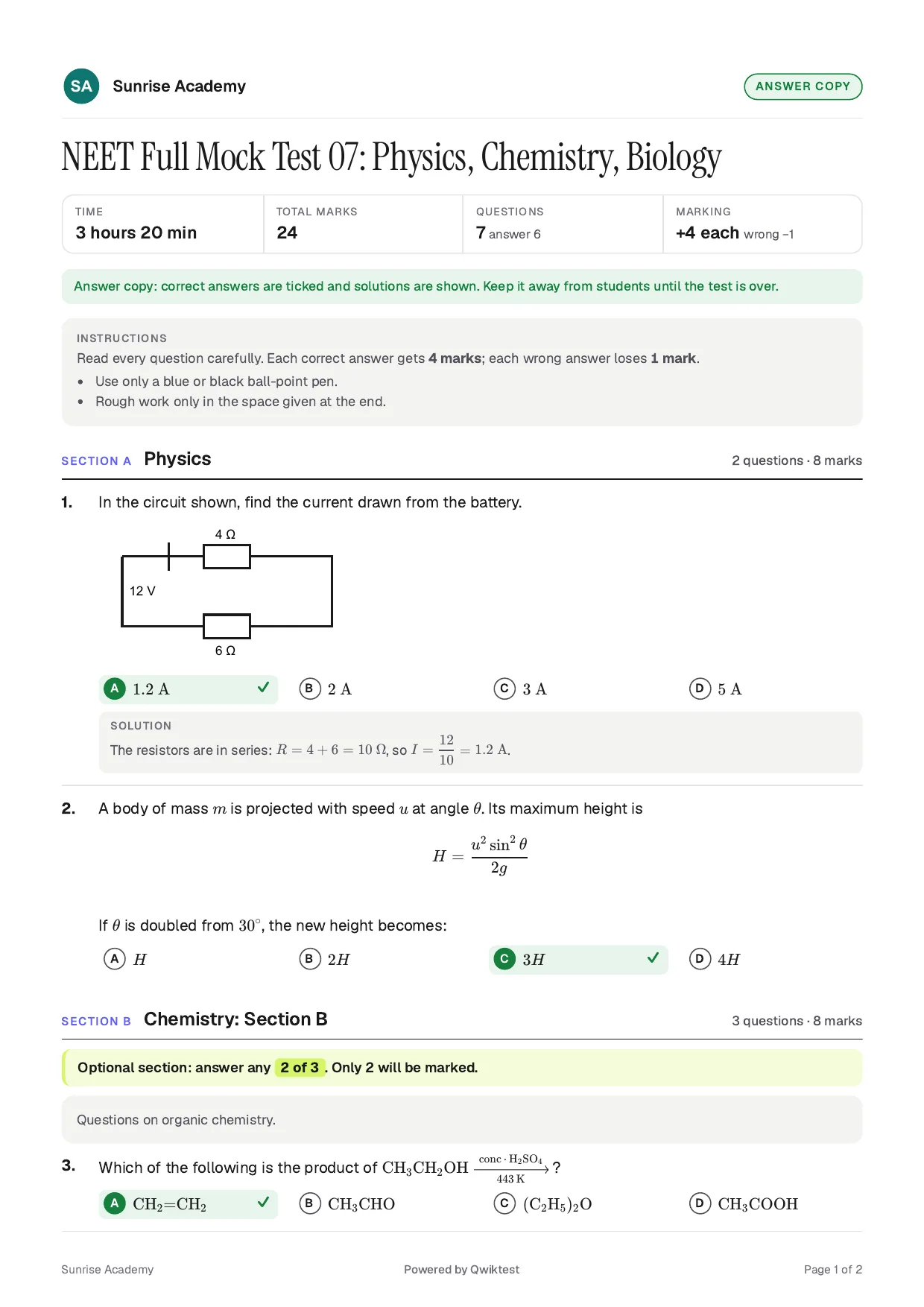
Qwiktest's question paper maker turns any online test into a print-ready A4 PDF in your institute's name: an exam paper with a Name and Roll no box, a question paper to share, or an answer copy with every answer ticked. Sections, optional-section rules, formulas, diagrams and code print the way offline exams do.
One test. Online, or on paper. Same questions.
Last updated
The question paper maker at a glance
- Copies
- Exam paper, question paper, answer copy
- Your brand
- Your logo and name on top. Watermarked, or your brand only
- Paper
- A4, page numbers, ready for any printer
- Prints right
- Formulas, chemistry, diagrams, picture options, code, SQL, Hindi
- Sections
- Optional sections marked, like “answer any 10 of 15”
- Get it
- Download, or email it to yourself
- Plans
- Every paid plan
Three copies from one test
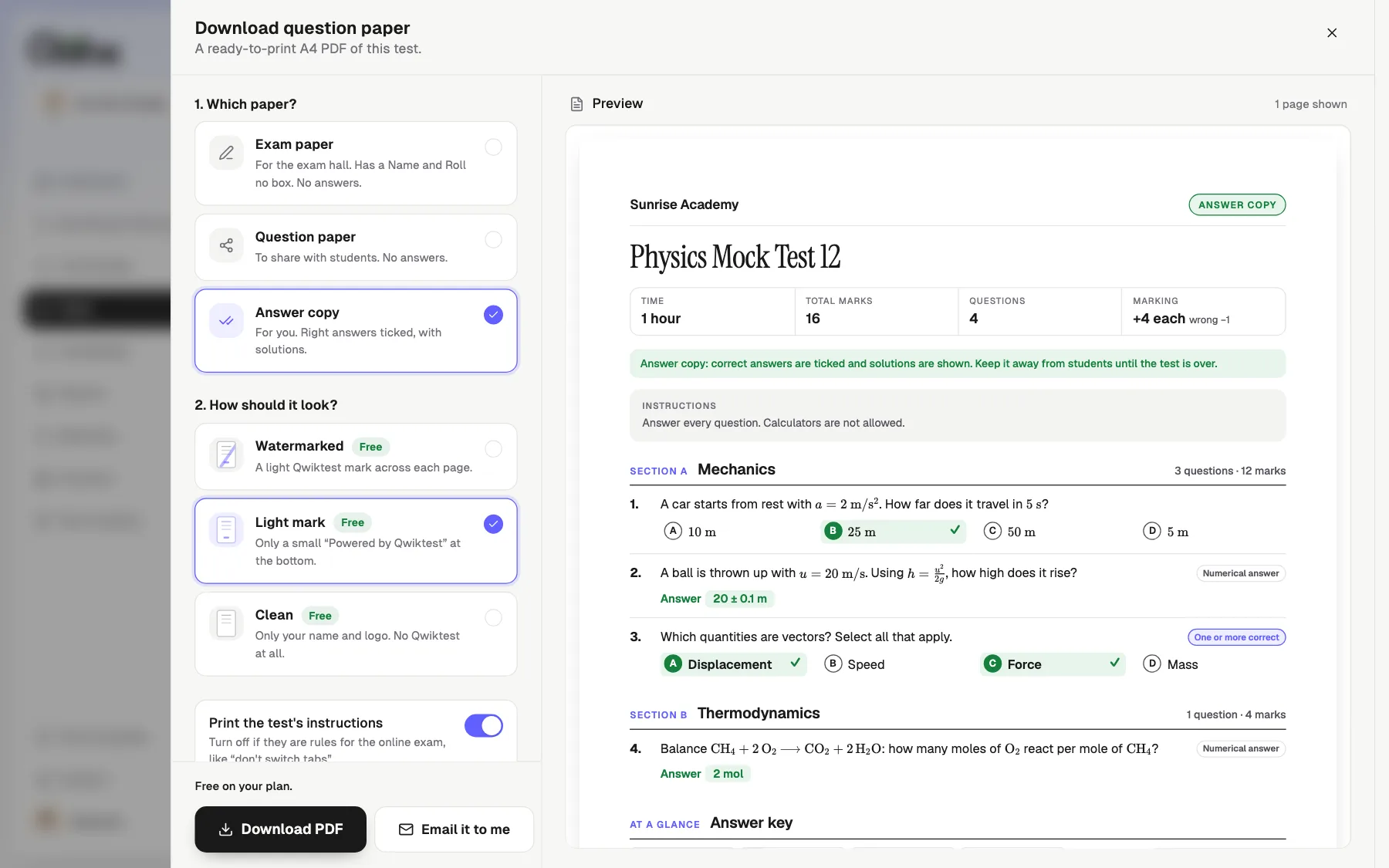
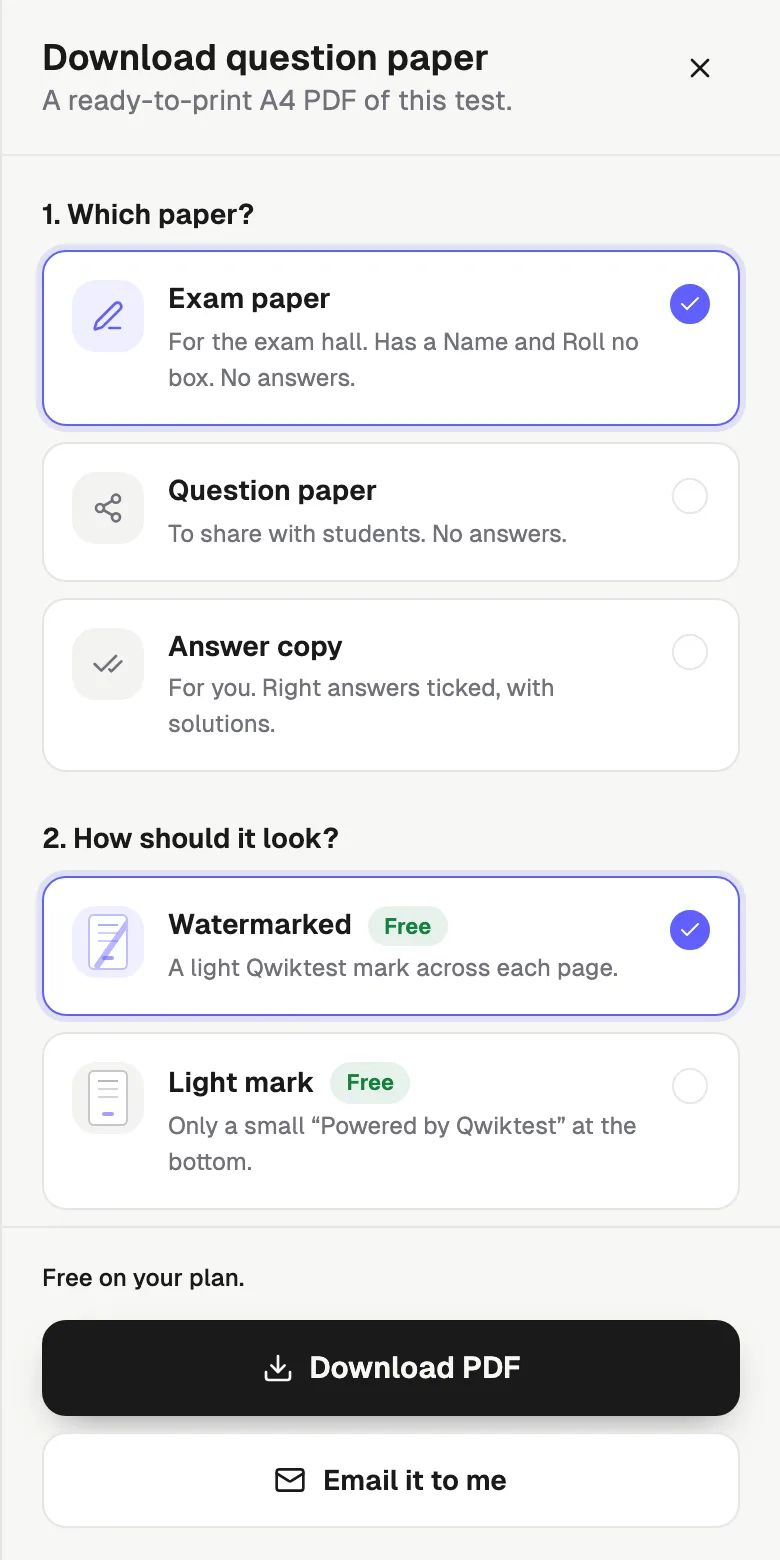
Exam paper
Name and Roll no box. No answers. For the exam hall.
Question paper
No answers. Share it with students before or after.
Answer copy
Answers ticked, solutions shown, an answer key at the end.
Pick how it looks
Watermarked
A light Qwiktest mark across each page.
Light mark
Your branding, with a small “Powered by Qwiktest” at the bottom.
Your brand only
Only your name and logo. Nothing from us.
How to print a test
Open your test
In Qwiktest, open any test, even a draft.
Tap Download paper
It's at the top of the test page.
Pick a copy and a look
The pages preview as you choose.
Download or email
Print it, or share the PDF with students.
Printed it? It comes back too.
Drop a Qwiktest PDF into Import and every question returns as it was, pictures included. No retyping, no AI.
Question paper questions
Can I download an online test as a question paper PDF?
Yes. Open any test in Qwiktest and tap Download paper. Pick an exam paper, a question paper or an answer copy, see the pages, and download an A4 PDF in your institute's name. You can also email it to yourself. It works on every paid plan, even for draft tests.
Does the paper show optional sections like NEET Section B?
Yes. If a section says "answer any 10 of 15" in your test, the paper prints it in a highlighted box under that section. Practice sections say they are not marked. Qwiktest never adds a rule your test does not have.
What is in the answer copy?
The right option is ticked on every question, numerical answers are written out with their units, solutions are shown under each question, and an answer key table sits at the end. Keep it to yourself until the test is over.
Can I print papers with only my institute's branding?
Yes. Choose Your brand only and the paper carries just your logo and name, with no Qwiktest mark anywhere. Watermarked and Light mark are there too if you prefer them.
Do formulas, diagrams and code print properly?
Yes. Maths and chemistry print as real formulas, diagrams and picture options are sized to fit, code keeps its spacing with line numbers, SQL and match-the-following tables print as tables, and Hindi and other Indian languages print in their own script.
Is there a Name and Roll number box?
Yes, on the exam paper. The question paper and the answer copy leave it out, so the same test gives you a paper for the exam hall and one to share.
Can I turn a downloaded paper back into an online test?
Yes. Drop the Qwiktest PDF into Import in any test and every question comes back exactly, with its sections, marks and pictures. It needs no AI. A question paper comes back without answers, so you add them.
Is it a question paper generator that writes questions?
No. It prints the questions already in your test. To write questions, use Generate with AI, Import an old paper, or type them with Smart Assist, then download the paper.